
Primary 1 Registration for PRs in Singapore: How Permanent Residents Apply
A practical guide for Singapore PR parents on using MOE's P1 Registration Portal, checking child records early, preparing key details, and planning backup school options.
Permanent residents apply for Primary 1 in Singapore through MOE's P1 Registration Portal. In practice, parents should get Singpass access ready, log in to check whether the child appears, ask the other parent to try if the child does not show up, and use the portal's online form if neither parent can see the record. PR parents should also prepare basic identity and contact details early and have a backup school plan in case the preferred school is oversubscribed.
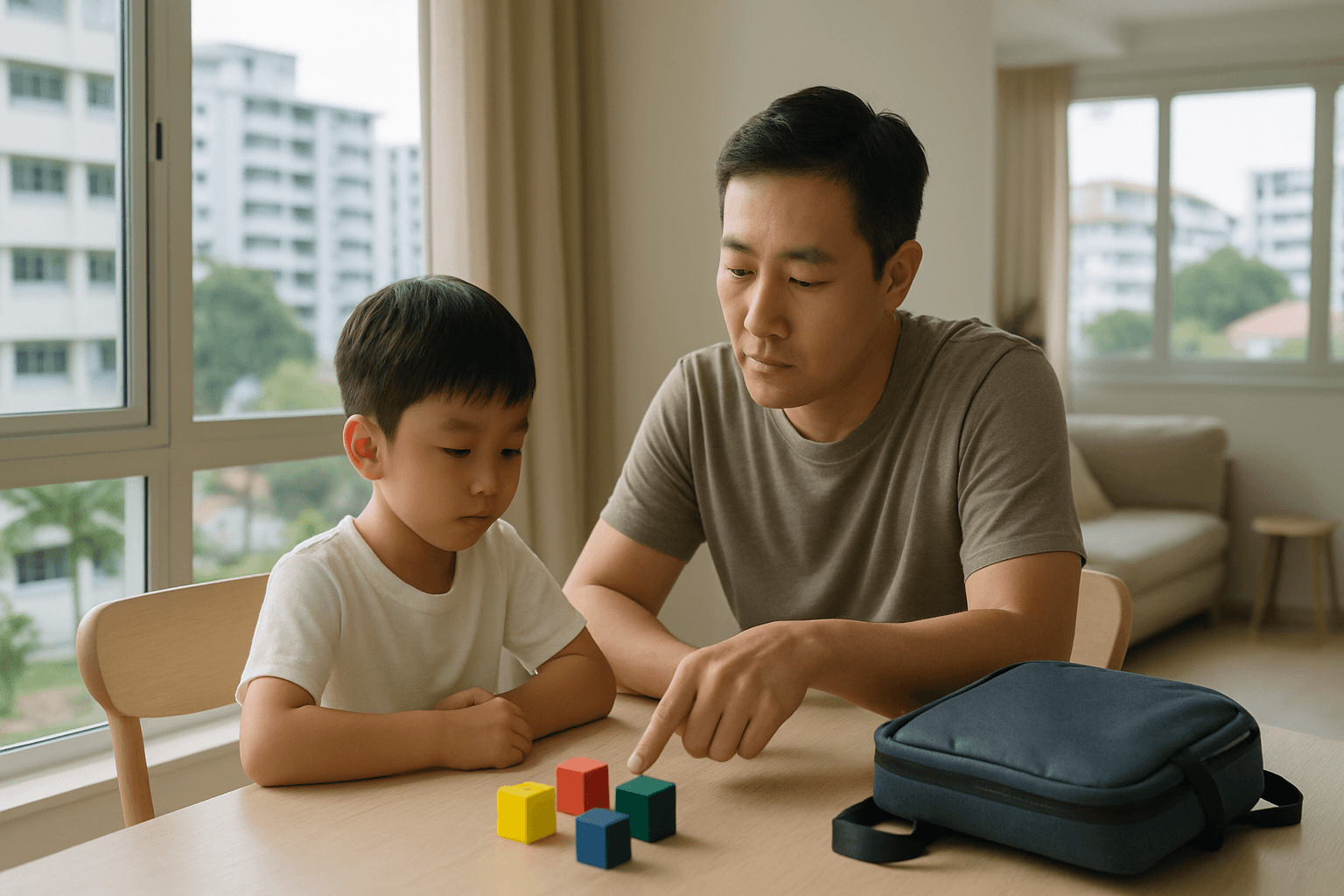
If your child is a Singapore Permanent Resident, the Primary 1 registration process starts in MOE's P1 Registration Portal. The most useful early checks are simple: make sure the right parent can log in with Singpass, confirm that your child appears correctly in the portal, and shortlist schools before the registration window opens.
What does Primary 1 registration look like for PR children in Singapore?
PR children register through MOE's P1 Registration Portal. What the portal shows depends on the child and parent information MOE already has in its records.
PR children register through MOE's P1 Registration Portal, which is also used for Singapore Citizen children. The practical point for parents is that the portal only shows what MOE already has on record for your child and parents. MOE explains this in its guidance on children whose details do not appear in the P1 Registration Portal. If your child appears, you continue in the portal. If your child does not appear, that is usually a record-matching issue, not an automatic rejection. A useful way to think about it is this: the portal is the entry point, and matching the child to the correct parent is the first checkpoint. If you want the wider context first, our guide on who is eligible for Primary 1 registration in Singapore explains the bigger picture. For a broader overview, see Primary 1 Registration in Singapore: How It Works, Balloting Risk, and How to Choose a Realistic School Plan.
Give citizens priority in Primary 1 registration
http://www.guidemesingapore.com/permanent-residence/singapore-pr-pros-and-cons.htm Quote from above : If your children are school-aged, they are high on the priority list, behind citizens, to enter public schools of your own choosing. Non PRs are at the bottom of the list and are often left with no choice when it comes to schools.
Give citizens priority in Primary 1 registration
Ha.ha. maybe next time the P1 registration phase can propose like that, just a suggestion: Phase 1 – Existing siblings in the Primary school except PR siblings. Phase 2A(1) – No Change Phase 2A (2) – No Change Phase 2B – No change Phase 2C – Singapore Citizenship Only. Phase 2C Supplementary - Singapore Citizenship Only Phase 3A – Permanent Residents Phase 3A Supplementary - Permanent Residents Phase 4 – Non Citizen.
When should PR families start preparing?
Prepare before the registration window opens. The most common last-minute problems are Singpass access, missing portal records, and not having a realistic shortlist of schools.
Start before registration opens, not on opening day. The most common problems are usually access and record issues, not school strategy problems. A parent may discover that Singpass is not ready, that the child appears only under the other parent's login, or that the family has not discussed a realistic backup school. Another common scenario is a family new to Singapore schools focusing on one popular school without checking whether the commute is manageable for six years. Early preparation is mainly about reducing friction. If you check login access, basic child details, and your shortlist ahead of time, the actual submission step is usually much calmer. For a fuller overview of how the system works, see our Primary 1 registration guide. For a broader overview, see Who Is Eligible for Primary 1 Registration in Singapore?.
Give citizens priority in Primary 1 registration
Some interesting letters from ST forum. 'Permanent residents - Why are these Phase 2C children given an equal chance in Primary 1 registration?' http://www.straitstimes.com/ST%2BForum/Online%2BStory/STIStory_417903.html Give citizens priority in Primary 1 registration I REFER to Minister Mentor Lee Kuan Yew's speech at Tanjong Pagar's National Day celebration dinner ('Give new arrivals the time to adapt' last Friday), in which he pointed out that 'a clear distinction' has already been made betwe
Give citizens priority in Primary 1 registration
BTW I wrote ths to ST but it never got posted: In her letter, Mrs Agawal have hit the gist of why PR students should not be given equal chance for Primary 1 registration. She says that if her children were unable to secure a place in a good public school, why would her family to stay? A Singpore citizen will never be able to say that. We are here to stay and as such deserve the right to choose before a permanent resident. My son, a 4th generation Singaporean, was not able to secure a place in a
Have More Questions?
Get personalized guidance on schools, tuition, enrichment and education pathways with AskVaiser.
Try AskVaiser for Free →How do PR parents actually apply through the portal?
Log in to the P1 Registration Portal, check whether your child appears, ask the other parent to try if needed, and use the portal's online form if neither parent can see the child.
The practical flow is straightforward. Log in to the P1 Registration Portal with Singpass and check whether your child's details, eligible registration information, and school options appear. If the child does not appear under one parent, get the other parent to log in and try first. MOE specifically says to do that before moving to the next step. If neither parent can see the child, MOE says to use the online form in the portal. This is where many parents lose time. They assume there must be a separate offline route for PR families, but the official fallback still starts inside the portal. A common example is a child appearing only under one parent's account because that is how MOE's records were matched. Another is a family where neither parent can see the child at all, in which case repeated login attempts usually do not help and the online form is the correct next move. The key takeaway is simple: check visibility first, then use the correct fallback route quickly. For a broader overview, see Primary 1 Registration Phases in Singapore: What Each Phase Means for Your Chances.
2021 P1 Registration Exercise for 2022 In-take
As per https://www.moe.gov.sg/primary/p1-registration , Details of the 2021 P1 registration exercise will be updated in May. There are still 20 odd days to go before their dateline. Chill.
All About Pri 1 Registration for Foreigners & Phase 3
I think it’s best if you provide details on the age of the child, or the level he / she is expected to be joining. The child has an existing student pass, is it for Pre-primary? Post-secondary? There are many foreign spouses of SC who are unable to receive PR or SC even after many years of marriage. Many are remaining in Singapore either on WP / EP or LTVP. Unfortunately, there isn’t a short cut to any PR application. One alternative is for you to legally adopt the child.
What details should PR parents prepare before logging in?
Prepare the identity, contact, and address details most likely to help MOE match your child correctly in the portal. The main goal is clean records, not paperwork for its own sake.
Use the current portal instructions for your registration year as the final source of truth, but most parents benefit from having a few basic details ready before they start. Common examples include Singpass access for the parent who may need to register, the child's identity particulars, both parents' identity particulars, current contact details, and the home address details you may rely on for school planning. Some families also keep marriage, custody, or guardianship records nearby if the family situation is not straightforward or if they expect MOE's records may need clarification. These are examples parents commonly prepare, not an official checklist. In real life, the bigger risk is usually not missing one extra document. It is having records that do not line up cleanly in the system. If you want a practical preparation guide, see our article on Primary 1 registration documents parents commonly prepare and, if address planning is relevant, which home address counts for Primary 1 registration in Singapore.
Preparing Your Child for Primary School:Parent Seminar - MOE
Preparing Your Child for Primary School: A Parent Seminar by MOE Starting primary school is a big step in your child's life. To help you better understand primary school programmes and enable you to make key education decisions, the Ministry of Education will be conducting a seminar on Primary School Education. At the seminar, parents can look forward to sharing sessions by the school principal and a parent volunteer, as well as view the various programmes our primary schools provide. The Primar
All About Pri 1 Registration for Foreigners & Phase 3
The child is currently in K1 and going K2 next year as such I have seen that we should indicate interest for primary 1 during next year June or July for the kids.[/quote]There are a couple of things you will need to or can do: 1. Assuming nothing much (as in status) changes, wait for MOE announcement and indicate your interest for participating in Phase 3. Take note that the child will be treated as a foreigner and there is no special privileges given, ie, there’s a possibility that the child wi
Is the PR process the same as for Singapore citizens?
PR children use the same MOE portal system, but parents should not assume every phase or eligibility detail is identical to the Singapore Citizen route.
Use the word similar more safely than the word same. What is clear is that PR children are within the MOE P1 portal system. What you should not assume is that every current-year phase detail, eligibility route, or competition outcome automatically mirrors a Singapore Citizen family's experience. For parents, the practical lesson is simple: a friend's citizen-family story may help you understand the general process, but it is not enough to plan your own registration. Check the current MOE route that applies to your child, then compare options. If you want to understand the surrounding system without over-assuming, our guides on Primary 1 registration phases in Singapore and who is eligible for Primary 1 registration in Singapore are good next reads. Same portal does not always mean same conditions. For a broader overview, see Primary 1 Registration Unsuccessful: What Happens If You Do Not Get Your Preferred School.
Give citizens priority in Primary 1 registration
Sharing with you the below blog entry from http://mrwangsaysso.blogspot.com/ on the same topic. Education, and Even More Discrimination Against Citizens ST Aug 20, 2009 Thanks, being a PR is good enough IN RESPONSE to letters by Mr Jimmy Loke ('The PR difference', last Saturday) and Mr Chia Kok Leong ('No school, no Singapore', last Saturday), I would only ask them to refer to Minister Mentor Lee Kuan Yew's speech reported last Friday ('MM: Foreign talent is vital'), where he gave an idea of the
2013 School Placement Exercise for Returning Singaporeans
School Placement Exercise 1) The 2013 School Placement Exercise for Returning Singaporeans (SPERS) is open for registration from 17 July 2013 for Singaporean children who are returning from overseas and wish to join our secondary schools, junior colleges (JC) or Millennia Institute (MI) at the beginning of academic year 2014. 2) SPERS is a centralised placement exercise held at the end of the year for Returning Singaporeans (RS). With SPERS, Singaporean parents working abroad can look forward to
How should PR parents choose schools?
Choose schools with practicality first. Commute, family routine, and a genuine backup school usually matter more than reputation alone.
Start with daily life, not just school name. A school can look excellent on paper and still be the wrong choice if the commute is draining, transport is difficult, or your family would struggle if the first choice does not work out. Many parents underestimate how much six years of routine matters. A nearby school with a manageable journey can be the better decision if it supports the child's energy and the family's schedule. A more competitive school may still be worth trying if you understand the risk clearly and have a backup school you would genuinely accept. Useful questions to ask are whether one parent can reliably handle the journey, whether the travel time is workable during busy weeks, and whether your second choice is a real plan or just a placeholder. If you are still narrowing options, MOE's school shortlist tool can help, and our guides on dream school versus safer nearby school and home-school distance can help you build a more realistic shortlist.
[Pasir Ris] Primary Schools
Schools Conducting Balloting (as at 4 August 2014) Source : http://www.moe.gov.sg/education/admissions/primary-one-registration/balloting/ Elias Park Primary School: \tAll SC children are admitted to the school in this phase. Balloting will be conducted for PR children residing between 1km and 2km of the school. Pasir Ris Primary School: \tBalloting will be conducted for SC children residing within 1km of the school. White Sands Primary School: \tBalloting will be conducted for SC children resid
[Pasir Ris] Primary Schools
I am Sameer Parve, being transferred from UK to Singapore. My 6 years old son, attended 3 complete years in UK public school, we are really inspired with quality and level of public schools in Singapore. I would prefer sending him to the local schools. I am on Employment Pass and currently renting in Pasir Ris, can someone suggest if there are any chances getting seat in Primary 1 for my son. I have contacted MOE and they have asked me to call back after the school starts in Jan 1st week. Any he
What do parents most often misunderstand about portal visibility and school chances?
Portal visibility is not a guarantee of admission. Treat it as the start of registration, not the final outcome.
Seeing your child in the portal is not the same as having a confirmed place. Seeing a school as selectable is not the same as securing that school. Visibility tells you that the system recognises your case well enough to proceed. It does not remove competition or the need for a backup plan. A simple rule helps here: visibility is a checkpoint, not a promise.
Share with us your kid's P1 registration experience
Hi parents, I've gone through 2 rounds of registration for my kids - Phase 2B 5 years ago (2006) and Phase 2A2 (2010). For son's P1 registration at Pei Hwa then, there was just 1 stop - ie to submit documents for verification. No guarantee at Phase 2B, just a high chance of getting in. Today's registration for daughter is slightly longer - 3 'stops'. Station 1 is at ground floor where a lady will make sure we are eligible for Phase 2A2. If so, then we proceed to the hall on 2nd floor. Station 2
Give citizens priority in Primary 1 registration
An example of PRs having priority over citizens (in a way): De La Salle Primary school does not accept PVs, and I know of Catholic PRs who got in under Phase 2B whilst Singaporeans (non Catholics) don’t even have a chance at phase 2B!!
What should you do after submitting the registration?
Save your confirmation and monitor official updates after submission. Good record-keeping makes follow-up much easier if anything needs correction.
Keep your confirmation details and stay reachable. Parents often feel that once they click submit, the process is over, but the practical next step is to watch the portal and the official contact channels linked to your submission in case anything needs follow-up. Save screenshots, confirmation references, and the main details you entered. That makes later checks much easier if you notice an error or need to verify what was submitted. In many cases, nothing further is needed except waiting for the official outcome. But if there is a mismatch or a follow-up request, the parents who respond fastest are usually the ones who kept clear records from the start.
Give citizens priority in Primary 1 registration
How about a scheme where advantage points will be given. Such that if both parent are citizen, then awards like 20 points, then if completed NS, some more points, and etc. Scheme can be defined to include like sibling same school, PV, community work, stay near home, and etc and etc. . The more points you get put you higher for prioirty for the school of your choice. . .anymore new ideas, we have to help those civil servants to think I guess. .
Give citizens priority in Primary 1 registration
Think about it, if her husband or herself cant get a job here ,do you think she can or will stay? For these ppl, jobs & money are the main priorities before education. I dont believe that they will go for a lower paying job or less prospective jobs so that their children can have better education in a foreign country. They will go to where there are greener grass & if it packages with good education, why not. And at the same time get to enjoy same priviledge as citizens like us. For one thing, m
What if your preferred school is full or you miss a step?
Use your backup plan quickly and return to MOE's official portal route for unresolved record issues. Delay usually makes stressful situations harder, not better.
Move to the next workable option quickly instead of waiting and hoping the first choice opens up. Families usually cope best when they already have a second school they can genuinely accept, not just a backup written down for appearance's sake. If the issue is school availability, shift your focus to the next realistic option and keep your family routine in mind. If the issue is not school capacity but a missing child record, go back to the official process: have the other parent log in if that has not been tried, and use the portal's online form if neither parent can see the child. If you miss a step, do not assume the situation is hopeless, but do stop guessing and switch immediately to the current MOE route and your remaining choices. Our guide on what happens if you do not get your preferred school can help you think through that fallback calmly.
School Placement Exercise for returning S'porean children
Singaporean children returning from overseas and wishing to join secondary schools and junior colleges at the start of the academic year in 2010 can register for the School Placement Exercise from August 3. http://www.moe.gov.sg/education/admissions/returning-singaporeans/
All About Preparing For Primary One
Starting primary school? This is a big milestone. Do enjoy the journey with your child! :rahrah: https://www.straitstimes.com/singapore/education/the-st-guide-to-preparing-your-child-for-primary-1 Parents often confuse being ready for school with being academically capable in skills like reading and counting. Instead of focusing solely on academic progress, it is more important to make learning an enjoyable process, and help your child have a swift and happier adjustment to primary school. Here
Where should PR parents check the latest official MOE instructions?
Check MOE's current Primary 1 registration pages and the P1 Registration Portal first. If your child does not appear, MOE says to try the other parent's login, then use the portal's online form if needed.
Use the current MOE Primary 1 registration pages and the P1 Registration Portal as your source of truth. The most directly useful official guidance for PR parents is MOE's explanation of what to do when a child's details, eligible information, or schools do not appear in the portal. MOE says the other parent should log in first, and if neither parent can see the child, the parent should use the online form in the portal. Start with MOE's FAQ on missing child details in the P1 Registration Portal. For school planning, MOE's school shortlist tool is also useful. If you want the broader parent context first, our main Primary 1 registration guide ties the process together.
For Reference for P1 registration: MOE Official Letters
From: xxx Sent: Thursday, 11 July, 2013 9:36 AM To: Contact Us (MOE) Subject: P1 Registration Hi, I am writing in to enquire the following for the purpose of Primary 1 registration. \"From MOE website: Proof of Purchase of Yet-to-be Completed Property An original Sales and Purchase document is required if the address of a yet-to-be completed private property is used for registration. The date of commitment by the developer in the Temporary Occupation Permit (T.O.P.) has to be within two years of
International students applying to Singapore Pr schools
I decided to call MOE yesterday and ask a few questions, so I’ll post the answers here in case anyone else is interested: - Only citizens and PRs can approach schools directly to ask if there are vacancies. International students can only apply through the AEIS, S-AEIS, and P1 registration. If they miss the dates, they have to wait till the next available date. - Students who are admitted through AEIS and P1 registration will start school in Jan the following year. Students admitted through S-AE
Have More Questions?
Get personalized guidance on schools, tuition, enrichment and education pathways with AskVaiser.
Try AskVaiser for Free →